
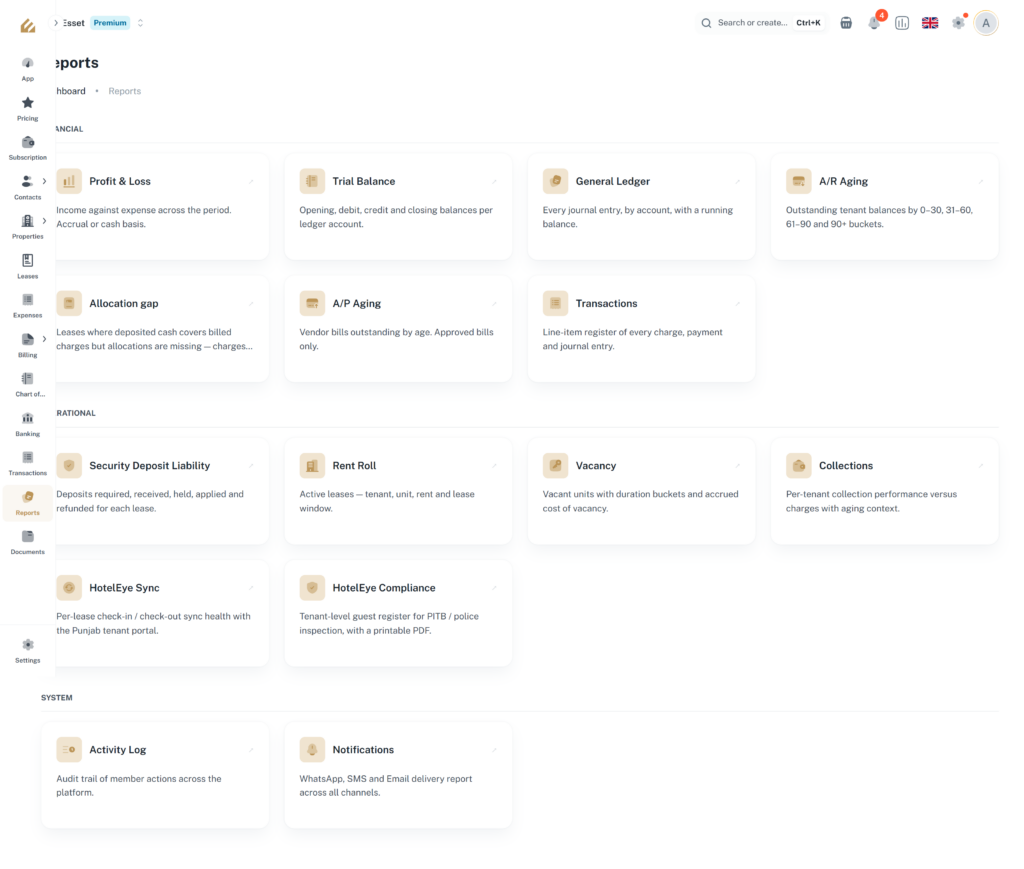
Esset’s Reports section brings together every financial and operational report you might need, organized into three groups: Financial, Operational, and System. This article gives you a one-stop overview of what each report shows, so you know exactly where to look next time you need a number.
Go to Reports in the sidebar to see all of these in one place.
Financial reports
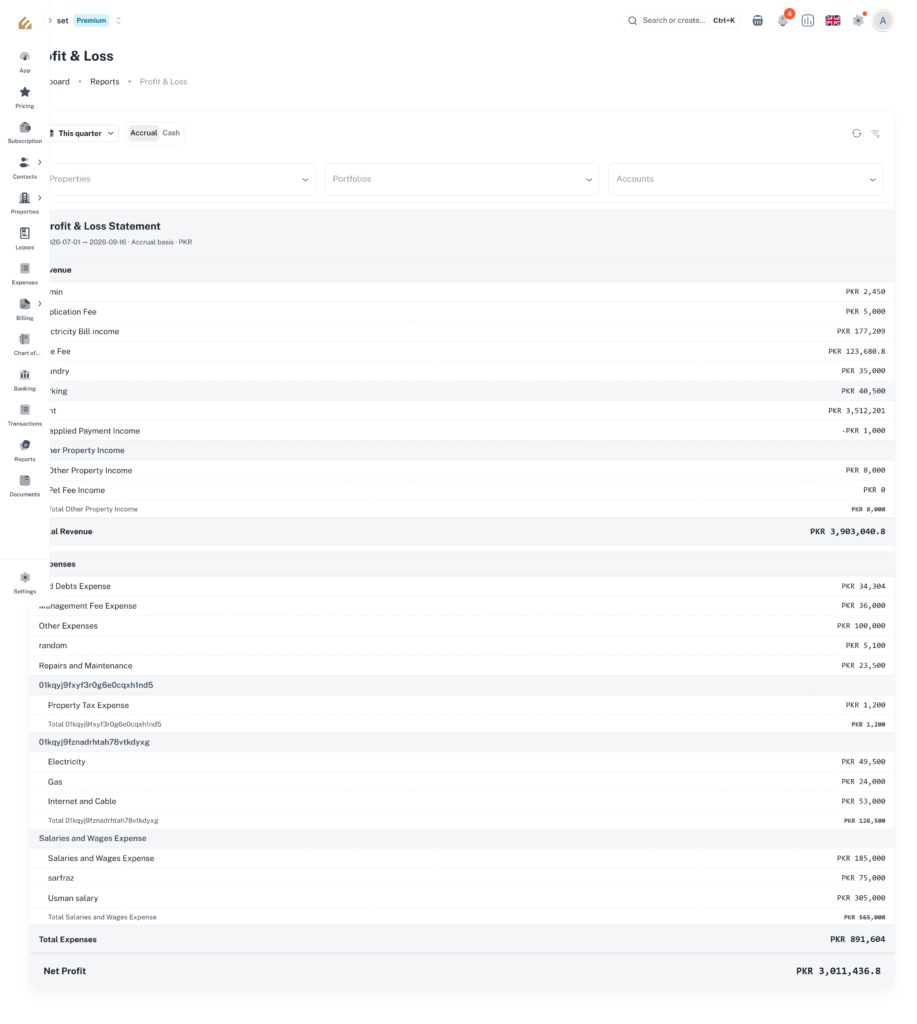
Profit & Loss
Your income against your expenses across a period, on either an accrual or cash basis. See “Understanding and Viewing Your Profit and Loss Statement” for the full guide.
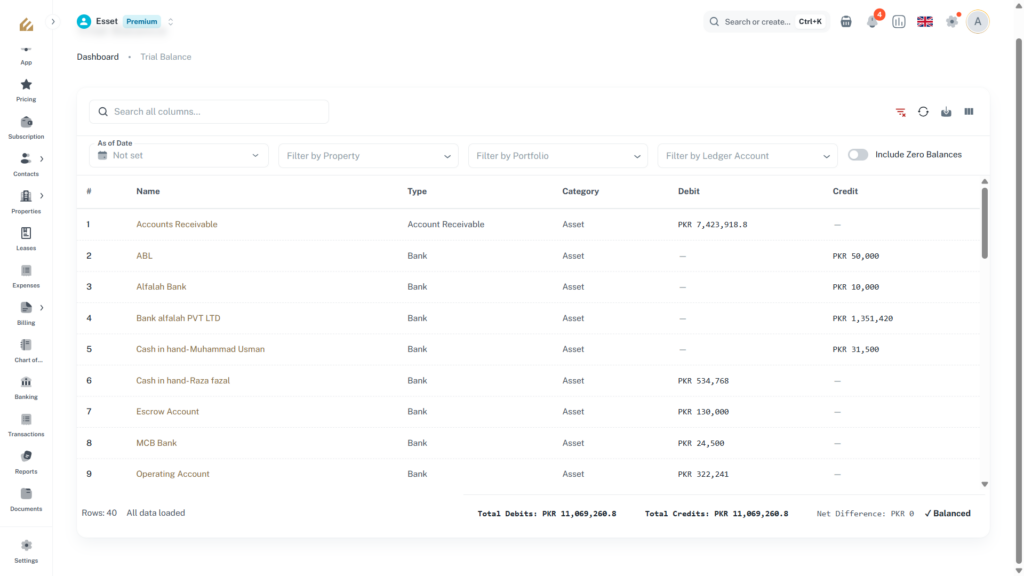
Trial Balance
The opening, debit, credit, and closing balance for every ledger account as of a date you choose, with a running check that confirms your books balance (Total Debits = Total Credits).
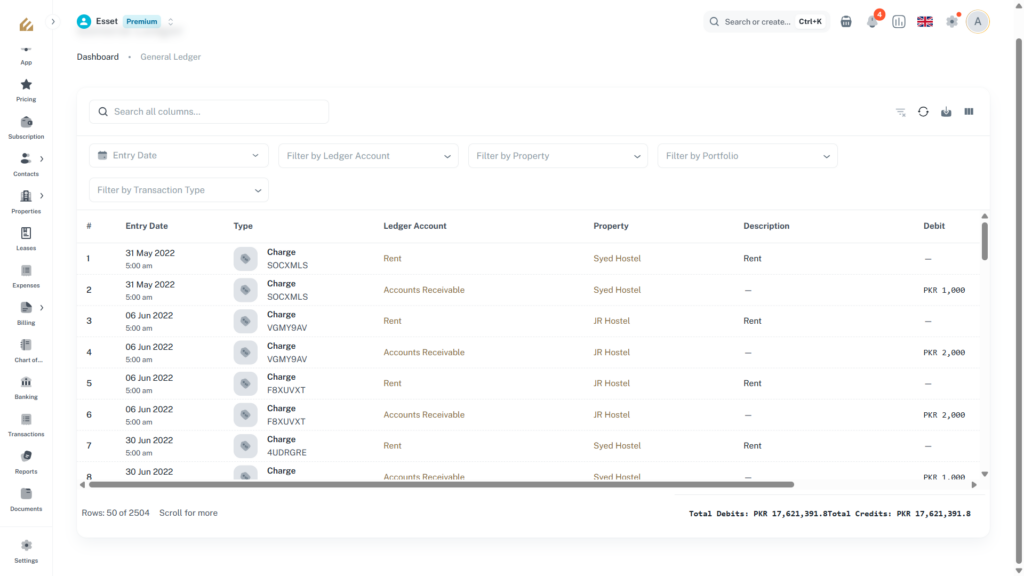
General Ledger
Every journal entry, listed individually by account, with entry date, transaction type, property, and description, so you can trace any single posting.
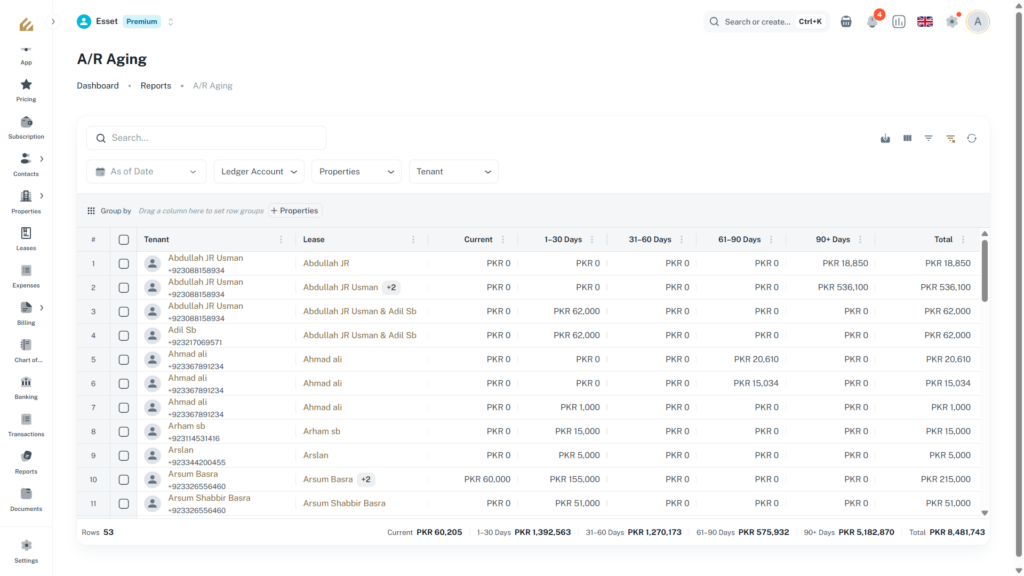
A/R Aging
How much each tenant owes you, broken into Current, 1-30, 31-60, 61-90, and 90+ day buckets, so you can see who’s overdue and by how much.
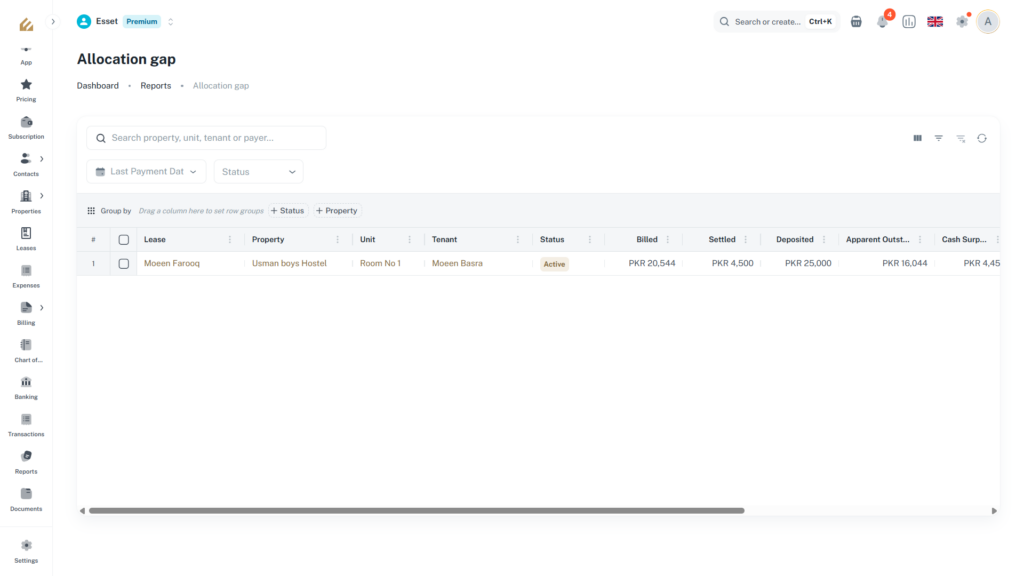
Allocation Gap
Flags leases where a tenant has deposited enough cash to cover their billed charges, but the payment hasn’t actually been allocated to those charges yet — useful for catching payments that are sitting unapplied.
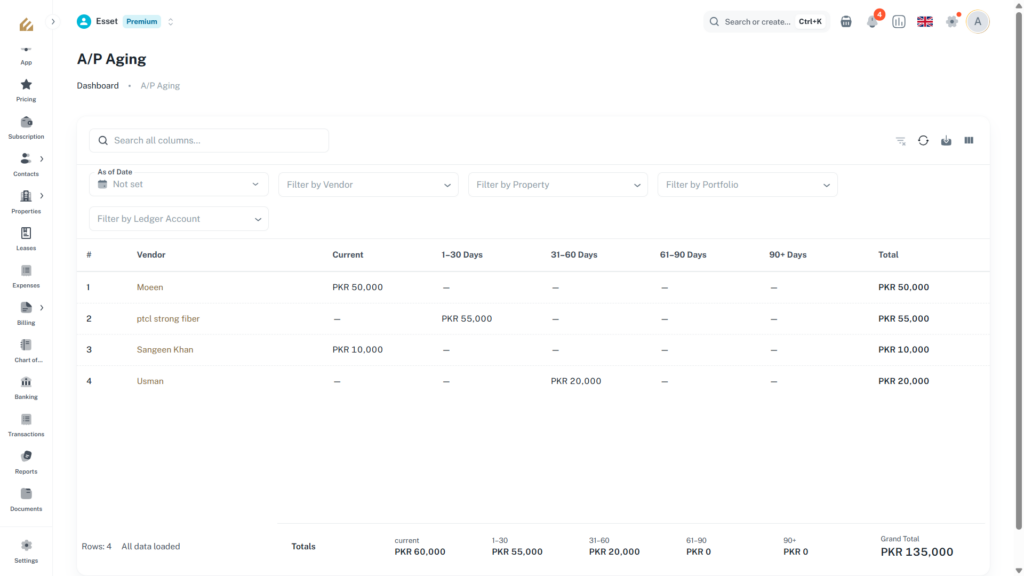
A/P Aging
The same aging breakdown as A/R Aging, but for what you owe your vendors on approved bills.
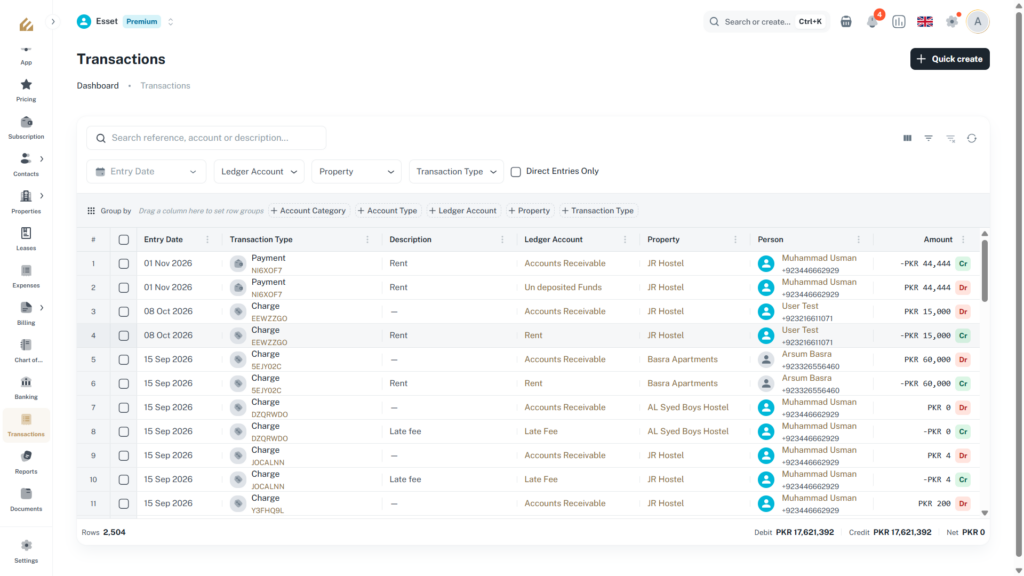
Transactions
A line-by-line register of every charge, payment, and journal entry in your account. See “How to Track Your Transactions in Esset” for the full guide.
Operational reports
Security Deposit Liability
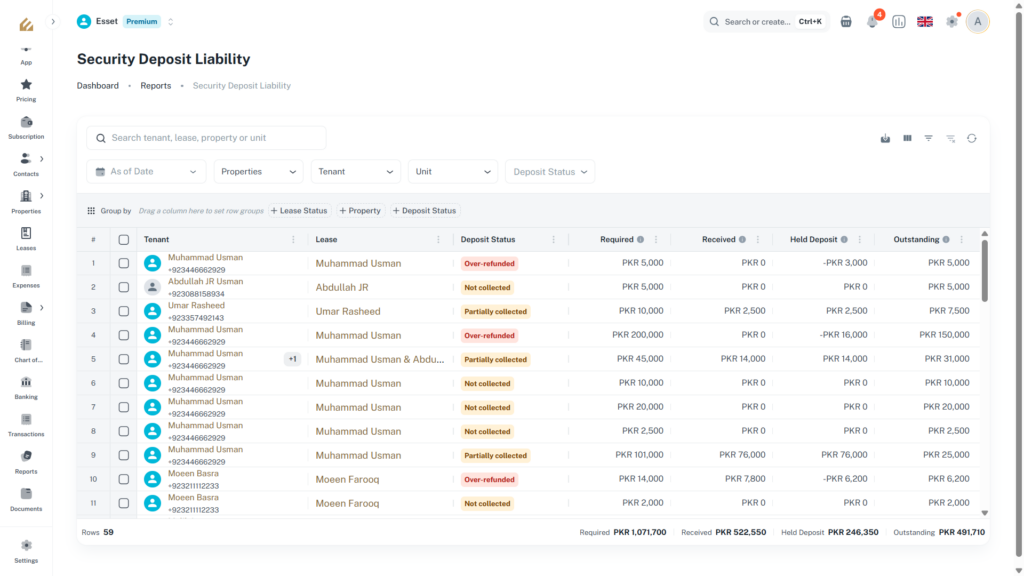
For every lease, how much security deposit was required, received, is currently held, and outstanding — with a status like Not collected, Partially collected, or Over-refunded.
Rent Roll
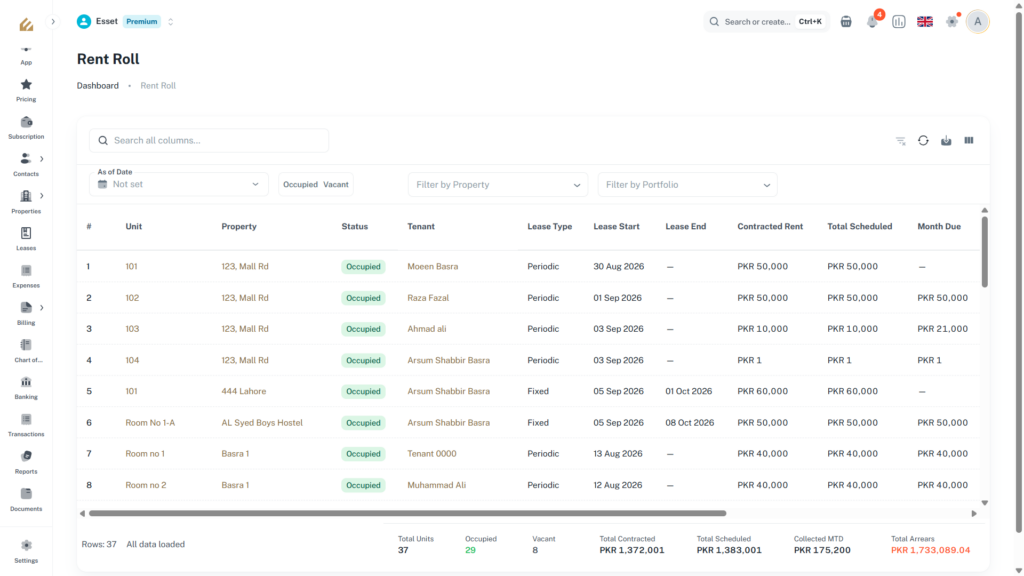
A snapshot of every active lease: tenant, unit, lease dates, contracted rent, and what’s due this month, with totals for occupied/vacant units and collections at the bottom.
Vacancy
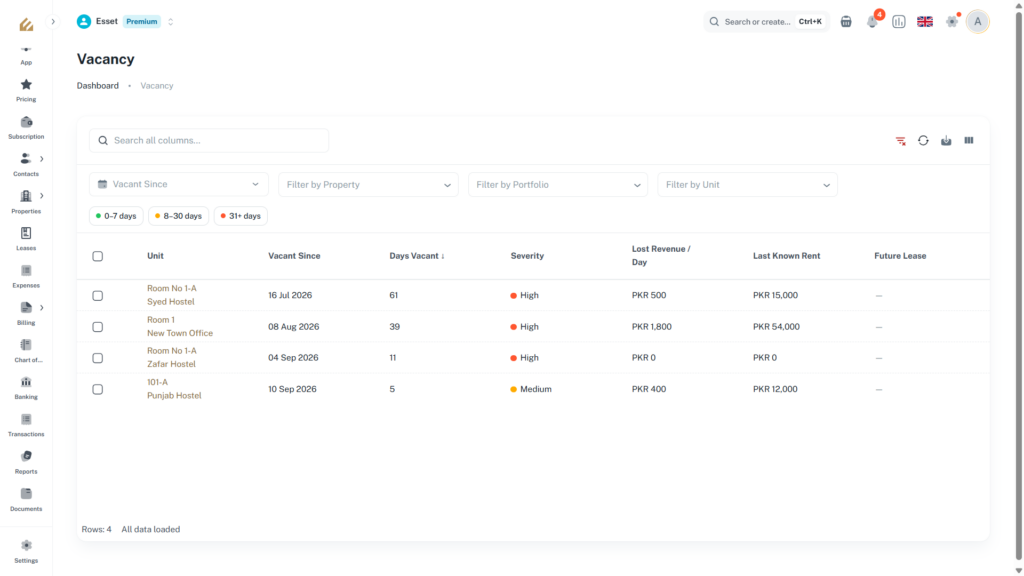
Every vacant unit, how long it’s been empty, a severity rating, and the revenue you’re losing per day it stays vacant.
Collections
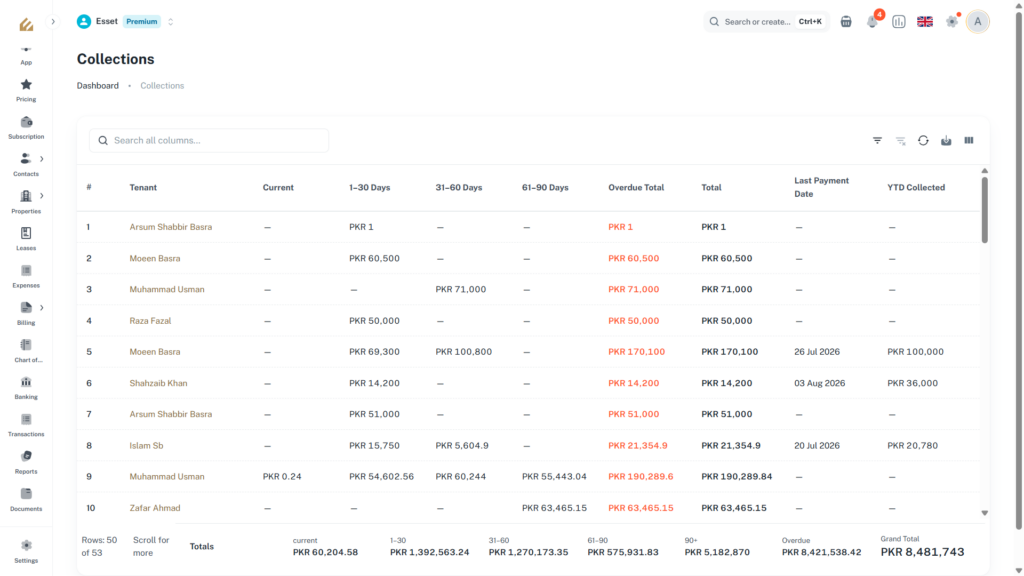
How much each tenant has paid versus what they owe, broken down by aging bucket, along with their last payment date and how much they’ve paid year to date.
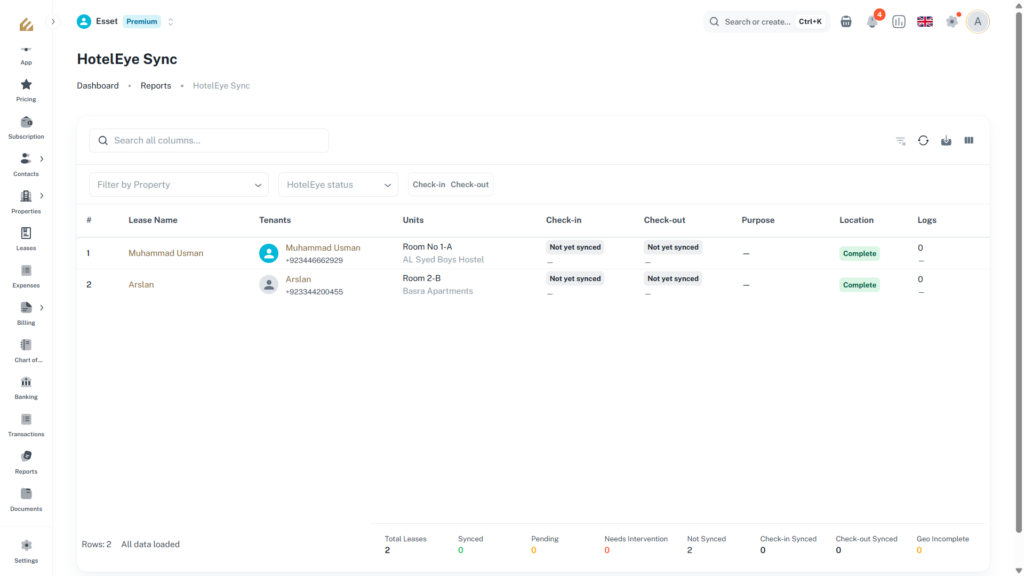
HotelEye Sync
For properties using hotel-style leases, this shows whether each lease’s check-in and check-out has synced with the Punjab tenant portal (HotelEye), and flags anything that needs attention.
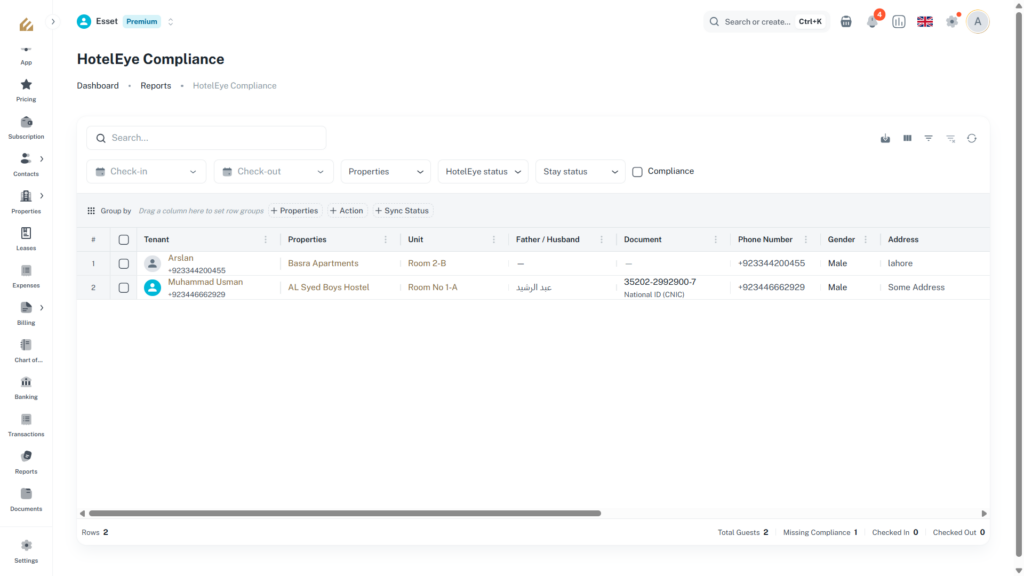
HotelEye Compliance
A guest register with tenant ID and contact details, formatted for police or PITB inspection, with a printable PDF for physical compliance checks.
System reports
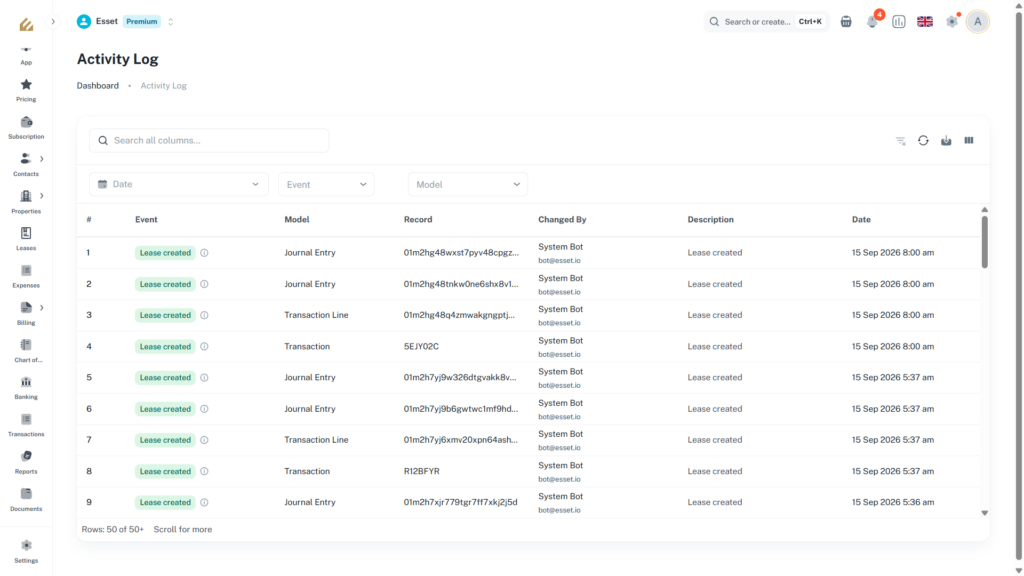
Activity Log
An audit trail of actions taken across your account (like “Lease created”), showing who or what triggered each change and when.
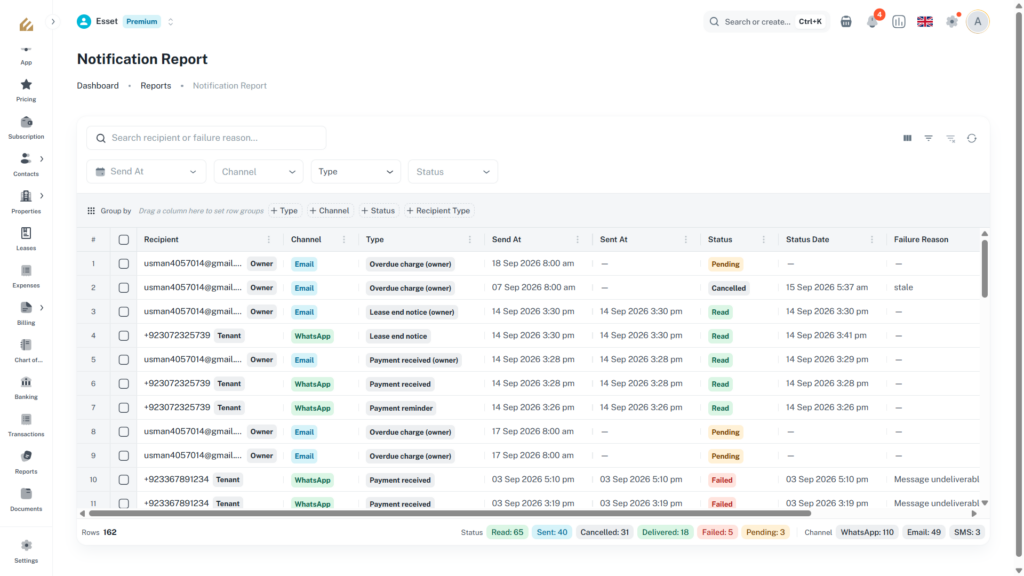
Notifications
A delivery report for every WhatsApp, SMS, and Email notification Esset has sent, with status (Read, Sent, Failed, Pending, Cancelled) and failure reasons where relevant.
Report Reference Table
| Report | Category | How to Use it |
| Profit & Loss | Financial | Review income, expenses, and net profit |
| Trial Balance | Financial | Check account balances and debits and credits |
| General Ledger | Financial | Trace journal entries by account |
| A/R Aging | Financial | See outstanding tenant balances |
| Allocation Gap | Financial | Identify payments that have not been fully allocated |
| A/P Aging | Financial | See amounts owed to vendors |
| Transactions | Financial | Review financial transaction records |
| Security Deposit Liability | Operational | Review security deposits held for tenants |
| Rent Roll | Operational | Review active leases, units, and rent |
| Vacancy | Operational | Track vacant units and lost rental revenue |
| Collections | Operational | Review tenant payments and outstanding balances |
| HotelEye Sync | Operational | Review HotelEye synchronization status |
| HotelEye Compliance | Operational | Review HotelEye compliance information |
| Activity Log | System | Review actions taken in your Esset account |
| Notifications | System | Check notification delivery through WhatsApp, SMS, and email |
Between these reports, Esset covers both sides of running a property business: the financial reports (P&L, Trial Balance, General Ledger, the Aging reports, Allocation gap, Transactions) give you the accounting view, while the operational reports (Security Deposit Liability, Rent Roll, Vacancy, Collections, HotelEye Sync and Compliance) are built around the day-to-day questions of who owes what, what’s empty, and what’s due. The System reports round things out with a record of who changed what and whether your notifications actually went out.
You won’t need all of these on a daily basis — Rent Roll, Vacancy, and Collections tend to get the most regular use, while Trial Balance, General Ledger, and the Aging reports come in handy at month-end or when something needs reconciling. Keep this article as a reference for when you’re not sure which report has the number you’re after.